
Build Your Own Gaming Computer For The Coming Mega PC Games
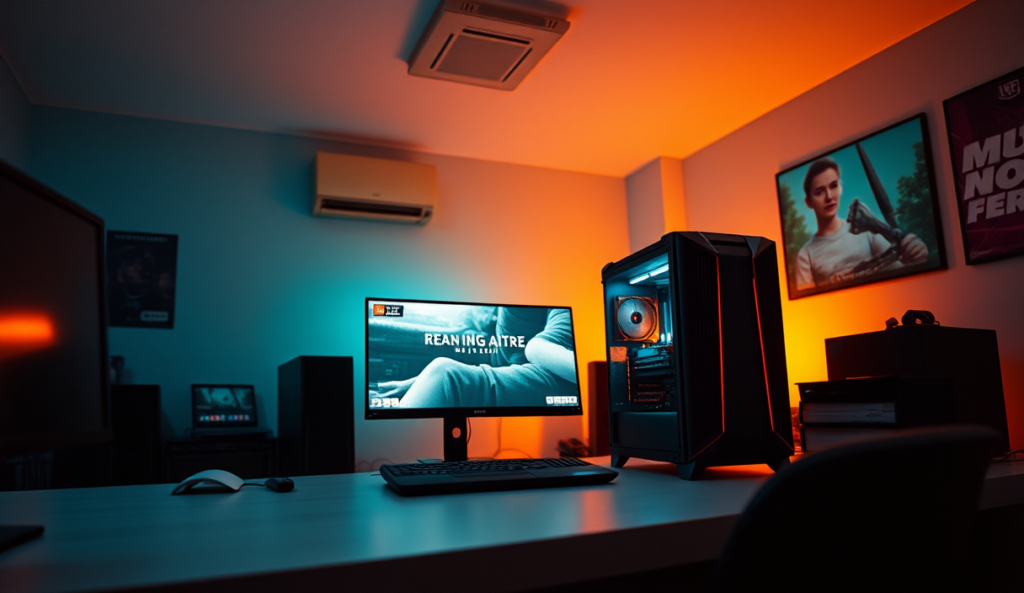
Welcome to our new guide on How to Build your own Gaming Computer for the coming Mega PC Games. There are some devilishly sexy gaming releases set for the next 6 months. So build your ultimate gaming rig with the help of this tutorial.
Battlefield 4. Assassin’s Creed IV: Black Flag. Have you got the chills yet? There are loads of games set for release in the next six months – the list is damn near endless. And if you want to shoot, stab and hack your way into the glory of these stunners, you’re going to need a fully equipped rig. One that’s aimed at providing you with the best possible experience when you immerse yourself in hours of breath-taking gameplay. Thus, it’s time to introduce the ultimate gaming computer review.
CPU – Better Than C3P0’s Brain
Ah, the brain. You’re going to need a smart one if you want to run the newest releases on their highest settings and truly appreciate them. The buzz this year is all about the Intel i5 series. And I specifically say i5 not i7, because you’ll be able to run your games on screamingly high settings and still be able to afford it. The i7 series is a little more specialized – graphic design, video encoding – and if you’re just about the games, it’s not entirely necessary. This is why you’ve got to try the Intel Core i5-3570K Quad-Core Processor 3.4 GHz 4 Core LGA 1155 

However, we can’t chuck AMD out the window can we? Regrettably, AMD has been suffering under the pressure of Intel’s i7 series, but – and this is a big but – Battlefield 4 was actually manufactured to run on AMD systems. BAM! Bet you didn’t see that coming. The choice is yours, but if you’re manic about BF, then I suggest you invest in an AMD FD8350FRHKBOX FX-8350 FX-Series 8-Core Black Edition
The bottom line is, if you’re looking for a CPU that’s going to run your games smoothly for the next five years or so, go for the Intel Core i5-3570K Quad-Core Processor 3.4 GHz 4 Core LGA 1155.
GPU – Lara Croft’s So Real You Want To Kiss The Screen

Shall we delve into the land of the GPU? Lick your lips kiddies; it’s time to dive into the meaty bits. I’ve selected two graphics cards that will run the newest gaming releases and will pair up admirably with whichever processor you’ve decided to select above.
First up: the apphire Radeon Vapor-X HD 7970 GHz PCI-Express Graphics Card. AMD system, remember? This bad boy brags a base clock of 1000MHz and a memory clock of 6000MHz. That and it’s cute. This means is that it’s able to process information at this rate.
Overall, that’s damn swift and will give top class performance, but the EVGA GeForce GTX680 SuperClocked 2048MB GDDR5 Graphics Card does that job with a base clock of 1058MHz and a memory clock of 6028MHz. Seems a teensy bit higher, true, but the GTX680
memory clock can be overclocked to 6608MHz for better performance. Basically, this means that the GPU processes data at a faster rate from its memory and gives a higher quality of graphics on the screen.

The rumor is that BF4 runs better with a higher memory clock. So the GTX680 might be the better option here. But the Radeon HD 7970 has an inbuilt GPU cooler and works well on larger monitors. If you’re going for AMD, go all the way with the HD 7970.
Motherboard – Not The Mother of All Bores
The two I’ve got for you here differ from each other in price and the systems they run on, but are both made by ASUS. They offer the same TUF guarantee – they can withstand harsh conditions – and have thermal armor – dual fans for added cooling – and thermal radar which adjusts the speed the fans work at according to its needs. They’re military tested. If you’re eyes aren’t misting over, you’re a little bit crazy.
The BIOS on both these boards is easily accessible and comes with a host of utilities which are totally user friendly.
Snazzy, right? Well, the Sapphire Radeon Vapor-X HD 7970 GHz PCI-Express Graphics Card suits AMD systems and is biased toward the Windows 8 Operating System. It has brilliant overclocking capabilities – the speedier the better – and high system performance.
The ASUS SABERTOOTH Z77 LGA 1155 Intel Z77 HDMI SATA 6Gb/s USB 3.0 ATX Intel Motherboard has an 18.6GB cache capacity for data. That means less waiting for you game to load and a lot more playing. It mixes both SSD and HDD for ultimate performance. Basically, the Solid State Drive operates quicker but works hand in hand with the hard-drive capability of the HDD.
While I’m excited about the capabilities of the 990FX and the fact that it’s cheaper than its Intel counterpart, I can’t help but favor the Z77 on this. Intel again, right? But the fact is there are too many good reviews about the Z77 to deny. Intel has taken charge of gaming systems, and it’s essential to consider that when building a rig that’s meant to last for the next 5 years.
Build your own Gaming Computer Guide
Memory – Huh? What’s that?
It’s not all alone in the moonlight. It’s nice and cozy in your gaming computer. RAM affects how fast you can run your game. 8GB of DDR3 will do you just fine for your rig. In fact, it will run the games you want as quickly as you want on high capabilities. It sports reduced power usage and runs twice as rapidly as DDR2 RAM.
That’s why you should take the Corsair Vengeance 8 GB ( 2 x 4 GB ) DDR3 1600 MHz (PC3 12800) 240-Pin DDR3 Memory Kit for Core i3, i5, i7 and Platforms SDRAM CMZ8GX3M2A1600C9. It’s packin’ 8 GB DDR3 at 1600 MHz – which is basically the premium speed for the i5 and i7 Intel CPU Series.

Storage – Don’t Fight About It
Pairing a SSD – for efficacy – with a HDD is the way to go here. For all your hard-drive needs, go for a terabyte of the Western Digital WD1002FAEX Caviar Black 1 TB SATA III 7200 RPM 64 MB Cache Internal Desktop 3.5″ Hard Drive which has dual processors and a 64MB cache. It’s a zoomer and will pair up nicely with the Corsair Neutron Series GTX 120GB 6Gbps 2.5-Inch SATA 3 Exclusive LAMD LM87800 Synchronous Solid State Drive which is compatible with just about every operating system you can run a game off and is one of the swiftest around at 550 MB/s.
PSU – ‘There Is Only Power And Those Too Weak To Seek It’
Your power supply makes or breaks your computer. It has to match your gaming computer’s capabilities or you’ll end up damaging your system in the long run. And since you want something that will run the new releases, and that will last for the foreseeable gaming future, this is one component you shouldn’t ignore.
The Cooler Master GX – 750W 80 PLUS Bronze Power Supply provides 750 watts of power for your rig, which is actually above level for a standard gaming computer. But let’s face it; you’re not going for standard here. You’re going for the best. The Cooler Master has a double layer EMI filter which kills the annoying buzz and is quiet, allowing you to run games however you wish.
Build your own Gaming Computer Page 3

Build your Own Gaming Computer Will Give Back To You: Budget Rigs For The Avid Gamer
I leave the case and cooling system up to you, but make sure you’ve got enough space for a system that will keep your gaming computer running at optimum. If you’re keen on building the best rig for game releases, then follow the advice of the ultimate gaming computer review, and go for the system that will suit you the best. If you’re looking to build an entry-level powerful gaming computer on a budget – say $800 – then you should go for:
- The AMD FX -4130 3.8Ghz Processor FD4130FRGUBOX, Black Editionruns at 3.8 GHz and is a quad core processor with a 4MB L2 cache. That’s not too shabby considering the price. This will run all the games you want it too and maybe make your buds a little jealous too.
- The G.Skill 8GB DDR3 Sniper Series is perfect if you’re on a budget, but still want good quality RAM. It’s pretty much top of the line and what you’ll want for running games at optimum speed.
- The Kingston HyperX 3K 120GB SSD reads at 555 MB/s. It writes a little slower, but that’s not a huge factor in gaming, so no worries. SSDs don’t have mechanical parts and run smoother, thus increasing your gaming computer’s performance.
- The XFX Radeon HD 7870 GPU might not run as fast as the Sapphire series, but its onboard memory is impressive for the price. That’s a great incentive, because it’ll run your games without a glitch.
- The Cooler Master HAF 912 ATX Mid Tower Case supports two 120mm fans and a water cooling system – the choice is yours. It also has removable dust filters and provides easy access to them. Great if you’re not the most avid of cleaners. You won’t waste any gaming time on cleaning it out.
- The Cooler Master eXtreme Power Plus RS-550-PCAR-E3 PSU has a maximum power of 550W which is basically all you need for an entry level. You’ll be able to run your PC with all its functionalities off this and reap the benefits of a quieter gaming session.
- You’re not going to need Blu-ray with an entry level rig, and the Asus 24xDVD-RW Serial ATA Internal OEM Drive will do the job at a fraction of the price.
- The Asus M5A97 LE R2.0 ATX AM3+ motherboard is Windows 8 ready – it’s the future after all – and direct key easy access to the BIOS. It’s really user friendly, but isn’t the TUF kind. That doesn’t matter, because with its utilities, you’ll still be pretty popular at a LAN.
- The Western Digital Caviar Blue 1TB 3.5? 7200RPM doesn’t have the name caviar for nothin’. It’s got a 6GB/s transfer rate (speedy, eh?) and practically whispers. A silent rig makes for a happy gamer, after all.
Find the best value for the $800 Gaming rig:
[wppc id=”16″]
Now, if you’re onto a rig that’ll pack a little more of a punch at a higher cost – $1150 for example – then you have to get these babies:
- Don’t make me harp on about the AMD FX 8350 FX Hexa Core AM3 CPU again. Did I mention it has 8 cores? And a superior L2 cache? And that it will blow your mind as well as your socks off? You have to get it if you’re aiming to play Battlefield when it’s released.
- The ASUS SABERTOOTH 990FX R2.0 AM3+ motherboard is TUF all right. Military tested tough. It can take anything you throw at it and more. What’s cooler than that? It boots up like a jet taking off. No waiting for loads with this one.
- The Sapphire Radeon Vapor-X HD 7970 GHZ OC 3GB is in a class of its own as a graphics card. It’s a good competitor for the EVGA GeForce Super Clocked, and has a memory clock that will run BF4 and other new releases on optimum. Yum yum.
- The Cooler Master GX – 750w PSU raises the bar. With 750 Watts of power, there’s not much you won’t be able to run off of it. It doesn’t even purr like a kitty, it makes hardly any noise at all. Good news if you don’t want that pesky bee-like ambience while shootin’ some fools.
- The Western Digital Caviar Blue : SATA drive. 7200RPM. 6GB/s transfer rate. Need I say more? It’s fast, it’s sleek and it gets the job done. A terabyte will be more than enough for any gamer, but if you feel the need to up your dosage, go for your badge. The more the merrier. You’ll save money by buying 2 terabytes.
- Corsair Vengeance hits the premium speed for AMD systems at 1600MHz. 8GB of DDR3 for better performance.
- With the smooth run provided by the Kingston HyperX 3K 120GB SSD I can’t replace it with anything else. It functions as well as you could want it to. SSDs are gaming computer hardware at its finest, and the Kingston stands out from the crowd with a 555MB/s read rate. What you’ll get: smooth gameplay. Hells yeah.
- I’m sticking with the Cooler Master HAF 912 case for the upscale rig. It’s just plain sexy. With all the utilities I mentioned before, you’ll be stupid not to get your hands on this one. Think: toast of the gaming community.
- You don’t need to break your budget on an Optical Drive. It’s just not necessary. That’s why I’m staying firm on the Asus 24xDVD-RW Serial ATA Internal OEM Drive. Affordable and works as well as you could ask.
Find the best value for the $1150 Build your own Gaming Computer:
[wppc id=”17″]
Whatever your decision to Build your own Gaming Computer, you need to get out there and build yourself the gaming computer that will serve you for the latest and greatest games forthcoming in the next year or two. Don’t delay, follow the ultimate computer gaming review today. And share your results below with us, please …